Before you start
- Everyone in the workspace (Viewer or higher) can ask Hey Syncly questions and view answers.
- To compare Queries, set them up first in Query explorer.
- To use Syncly data in an AI assistant like Claude, see Connect Syncly MCP to an AI client.
Ask a question
- In Query explorer or a Collection, select ✨ Hey Syncly at the top right.
- Check the date range and filters shown in the prompt box.
- To ask about specific posts, select them in the list and choose Ask Hey Syncly in the selection bar.
- Check that the selected posts appear above the prompt box.
- Type your question and send it.
- When the answer is ready, review it along with the posts it cites.
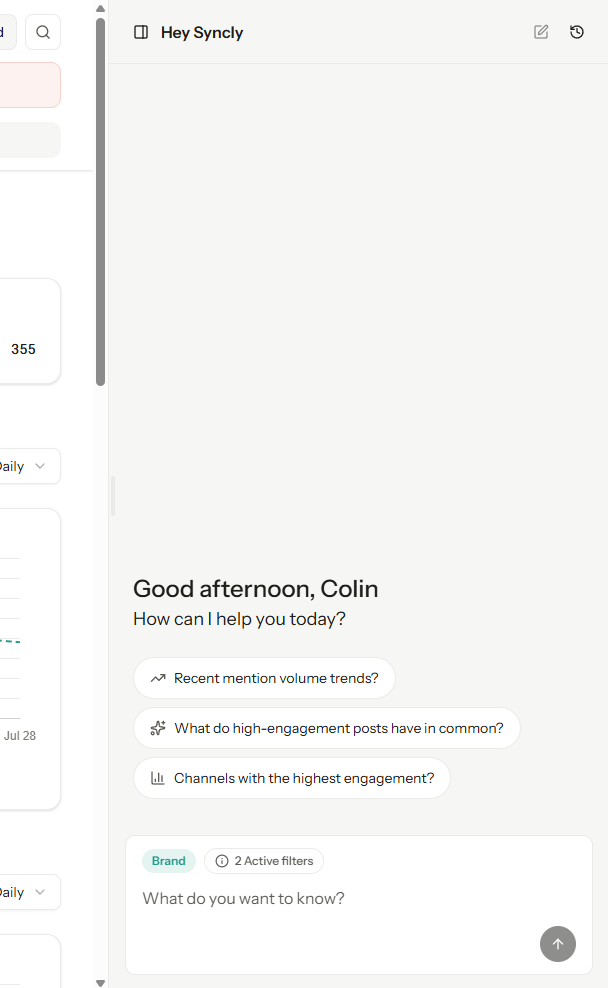
“Summarize the main reasons people buy and the main complaints in these posts, and show which posts support each point.”Opening the panel doesn’t send anything; you need to type and send your question. If you remove a post from the prompt box, it’s also unselected in the list. If no posts are selected, Hey Syncly answers based on your current Queries and filters.
Continue a conversation
Select a past conversation in the panel history to ask a follow-up. Any posts still selected are included in the follow-up too, so check your selection before sending.Review and use an answer
Answers link to the posts they’re based on. Open those posts to check the original video and caption.- Rate the answer: Use 👍 or 👎 below a finished answer.
- Copy it: Select Copy below the answer to paste it into a chat or document. To share the posts behind it, save them to a Collection.
Hey Syncly helps you analyze faster, but check important conclusions against the dates, filters, and posts it cites.
Troubleshoot
- The answer is still generating: Wait a moment for it to finish.
- A question fails: Check your question, the filters, and that you’re a member of the workspace.
- Past conversations are missing: Check that you’re signed in to the right account and workspace. You only see conversations you started.