Before you start
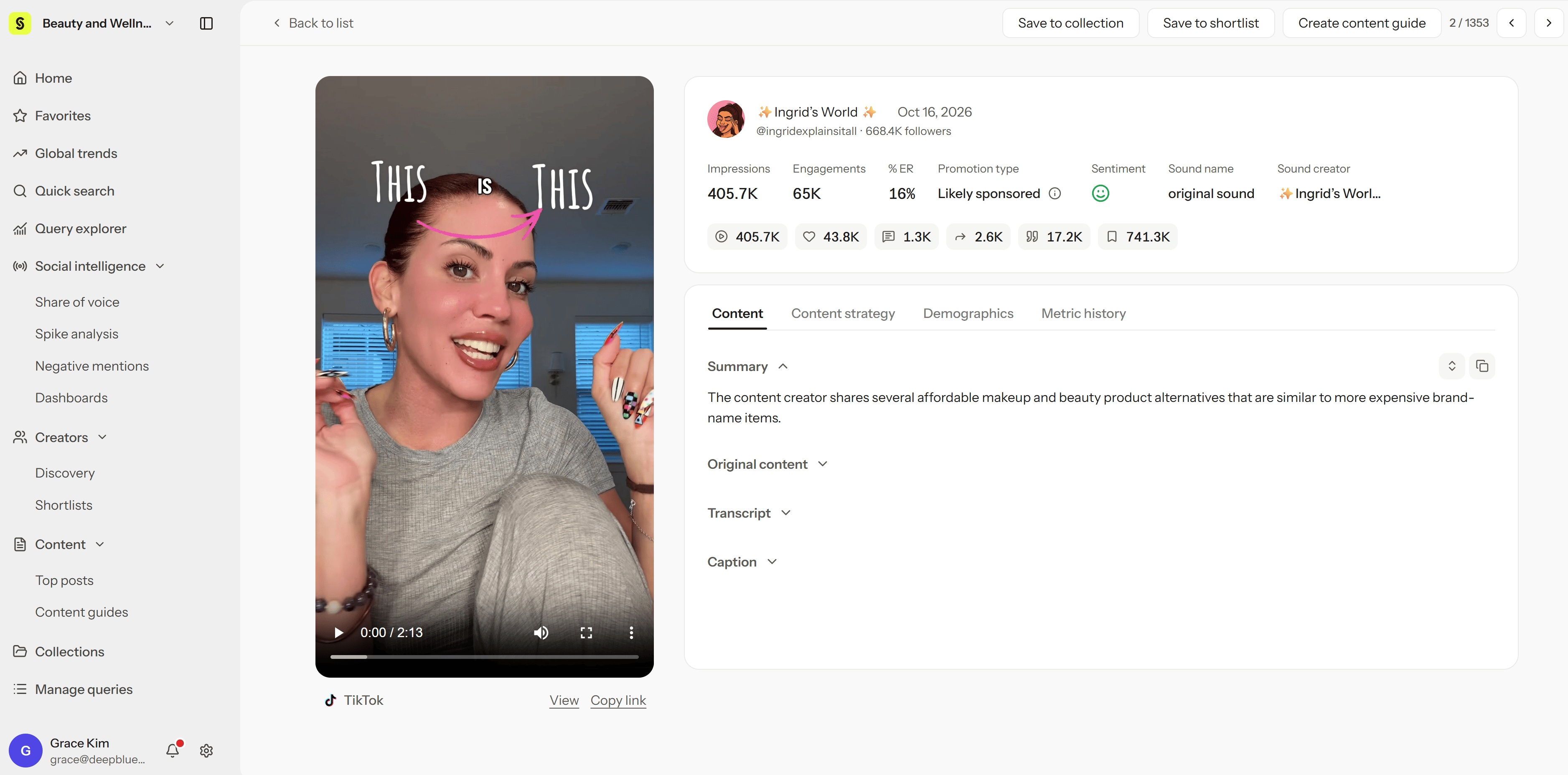
You need Viewer permission or higher. Open post detail by selecting a post in Query explorer, Manage queries, or a Collection. In Quick search, some analysis is locked until you create a Query for that subject.Review a post
- Select a post in the list.
- Check its publish date and performance metrics.
- Watch the video and read its caption for context.
- Read the analysis in the Content tab.
- For TikTok, Reels, and Shorts posts, open Content strategy to see how the video was built.
Content and Content strategy
- Content shows the summary, topics, brands mentioned, transcript, and on-screen text.
- Content strategy breaks down how a TikTok, Reels, or Shorts video was built, across six dimensions such as the hook and call to action. See Read content structure with Content strategy.
Sentiment and Promotion type
Sentiment
Each post is classified as positive, neutral, or negative for each Query it belongs to, since the same post can be positive about one brand and neutral about another.- See why: Open the sentiment to see why Syncly classified the post that way. Reasons are shown for posts collected from October 27, 2026 onward.
- Change it: If the classification looks wrong, you can change the post’s sentiment.
Promotion type
Promotion type shows whether Syncly’s AI thinks a post is sponsored:- Likely sponsored: The AI found signs of a paid partnership, such as #ad, discount codes, or brand tags.
- Likely organic: The AI found no signs of sponsorship.
Move between posts
Use previous and next to move through the list without closing post detail. When you go back to the list, your filters, sort, and position are kept.Read performance metrics
- Latest shows a post’s current totals.
- Day 1, 2, 3, and 7 show what the post had at those points after publishing. You can choose these in Query explorer’s Posts tab.
- A blank Day value means it wasn’t recorded yet, which is different from 0. See the glossary.
- Instagram feed posts (images and carousels): Engagement rate isn’t shown on the post card or in post detail, but you can still see and sort by it in table views and XLSX exports.
- YouTube long-form: Plays in an embedded player and shows YouTube’s transcript. Content strategy isn’t available.
- TikTok, Instagram Reels, and YouTube Shorts: Full analysis, including Content strategy.
Troubleshoot
- The analysis doesn’t match the video: Watch the video to confirm what’s actually there before relying on the analysis.
- No sentiment reason is shown: Reasons appear only for posts collected from October 27, 2026 onward.
- Content strategy is empty or won’t load: See Missing results, translation, and copying.