Open Content strategy
- Open a TikTok, Instagram Reels, or YouTube Shorts post from Query explorer, Manage queries, or a Collection.
- Select the Content strategy tab. Hook opens first; select any other dimension to expand it.
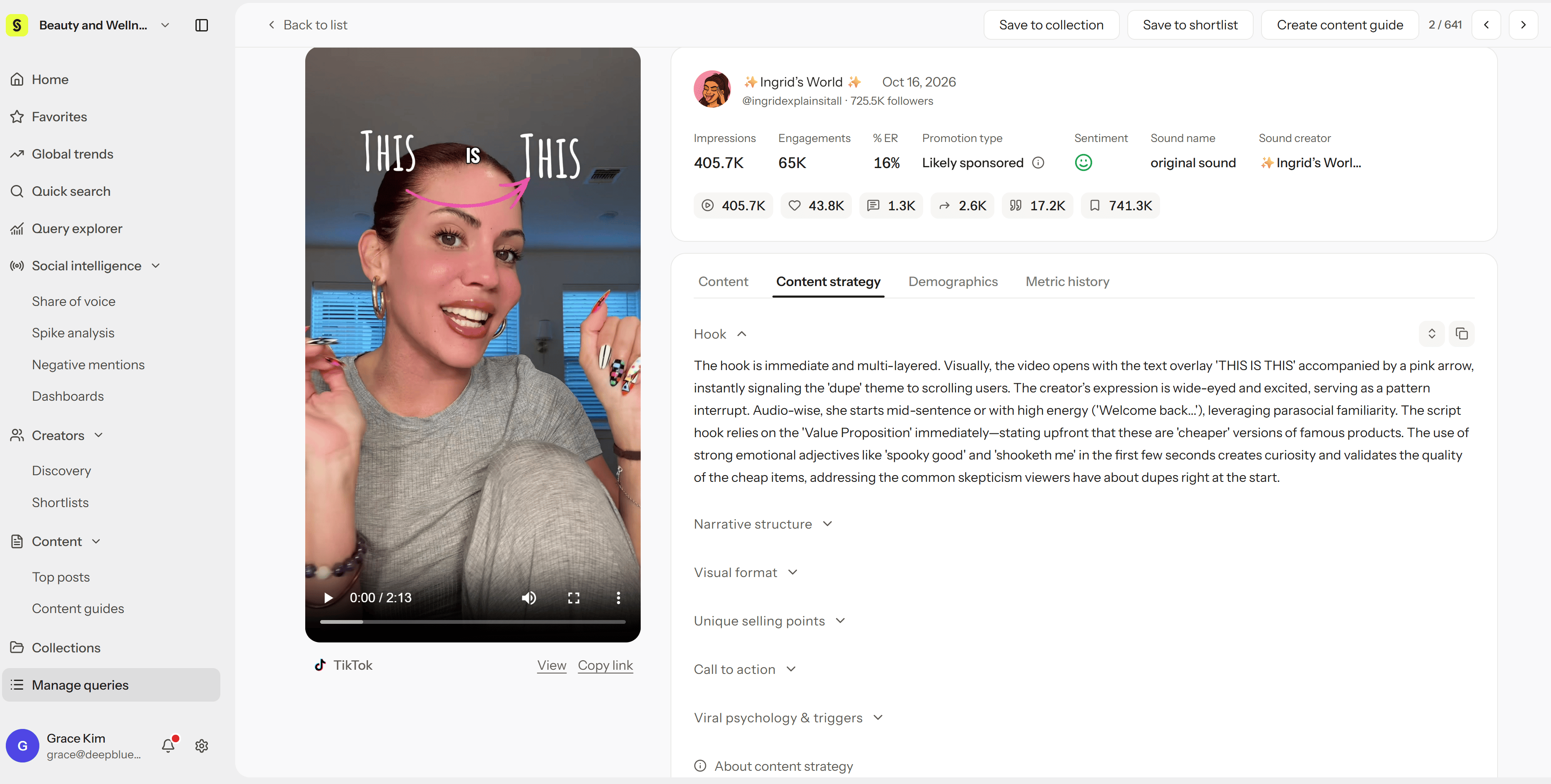
The six dimensions
The examples below use one fictional video: a 20-second clip that opens on a close-up of foundation clinging to pores, applies a watery serum, shows a split-screen before-and-after, and ends by asking viewers which pores bother them more.
Actual analysis text will differ for each post.
Where to start
You don’t need all six at once. Start with the one or two that match your goal:Use it to plan your next video
- Pick 3–5 reference posts from the same platform and category, such as top posts in Query explorer sorted by views or engagement.
- Compare their Content strategy and note what they have in common. Check that the analysis matches what you see in the video.
- Save them to a Collection, then ask Hey Syncly what patterns they share.
- Choose one thing to test in your next video, such as a problem-first vs. result-first opening, and keep everything else the same. Compare results with metrics you can see in Syncly, like views at Day 1 or comment rate.
Missing results, translation, and copying
- “No analysis results available for this dimension yet.” The analysis is still processing, or the video has little to analyze for that dimension. It doesn’t mean the video has no strategy.
- “Failed to load content strategy.” A temporary error. Select Retry.
- Translate: Translates the analysis text. Select See original to switch back.
- Copy all: Copies the dimension names and analysis to your clipboard. Save the post link with it so you keep the context.